
Go to Windows platform Display platforms icon
Go to Windows platform Go to Mac platform Go to Android platform Go to iOS platform
PIXresizer icon

PIXresizer

2.0.8
4 2 reviews
117 k downloads
security security

Change size and format of several pictures at the same time

Advertisement
Remove ads and more with Turbo
Advertisement
Remove ads and more with Turbo
Álvaro Toledo icon
Reviewed by
Álvaro Toledo
Chief Content Officer
Álvaro Toledo is part of Uptodown's in-house Editorial Team. Translated by Uptodown Localization Team

PIXresizer is an excellent photo conversion application that gives you the possibility to change the size and the format of any picture. Choose one or a group of images and convert them in a snap.

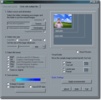
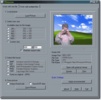
PIXresizer is divided into two tabs, depending if you want to convert one or several files.

Advertisement
Remove ads and more with Turbo

You only have to follow four simple and easy steps: Choose the file or files, set the new size, choose the output format: BMP, GIF, JPEG, PNG or TIFF and finally, save the output file.

The second tab is exactly the same but it is used in case you want to transform several pictures at once. It's easy to use and free, so it can be a good choice if you want to to have all your photos in the same format or size.

Information about PIXresizer 2.0.8

Basic information

Developer David De Groot
Category Image Converters
Rating All ages
Languages English

Distribution model

Pricing Free
License Proprietary
Copyright © 2026 David De Groot
Why is this app published on Uptodown? (More information)

Security and privacy

Required permissions Not applicable
See security and antivirus report

Download info

Downloads 117,037
Date Oct 23, 2014
File type ZIP
Size 2.94 MB
SHA256 315de8dd210e6529f4950ad57e3020ee3b10d83e957e8ccd764a64872914e8f4
Advertisement
Remove ads and more with Turbo

Older versions

zip 2.0.6 Feb 25, 2013
zip 2.0.5 Feb 9, 2012
zip 2.0.4 Jun 12, 2009

Rate this App

Review the app
PIXresizer icon

Rating

4.0
5
4
3
2
1
2 reviews

Comments

ggarvia icon
ggarvia
in 2015

I tried it on a large batch of photos; I had to enlarge them, and it was possible. The best part is that it didn't lose much resolution when stretching them. And it converted them extremely quickly. I...See more

1
Reply
javiruta icon
javiruta
in 2013

Hello! I have PIXresizer installed on my computer, and honestly, it works very well. I'd like to know if this program exists for Android, or one as similar as possible; it would be perfect for working...See more

Like
Reply
Advertisement
Remove ads and more with Turbo
XnConvert icon
Powerful image converter
Total Image Converter icon
Convert, edit, and restore pictures in any format
MDI2PDF Converter icon
MDI and image converter
Epubpr Chirp Converter icon
Best Chirp audiobook to mp3 converter
Kingshiper HEIC to JPG Converter icon
Convert HEIC files to JPG, JPEG, PNG, or other formats in one click
Conversor de Imágenes icon
Convert any image from one format to another
Convertify: All in One File Converter icon
All-in-One Offline File Converter for Windows
reaConverter icon
Edit and transform images massively
Adobe Photoshop Lightroom icon
Edit your digital pictures with this elegant tool
Picasa icon
Organize and view all your pictures easily
SketchUp Pro icon
Easy, fast 3D modeling tool
Adobe Photoshop icon
Professional photo editing from Adobe
DaVinci Resolve icon
The most powerful and complete post-production video tool for PC
ibis Paint icon
Unleash your imagination in this drawing app
Adobe Illustrator icon
Create logos, illustrations, and designs with this powerful editor
Pivot Animator icon
Create stick figures in a matter of seconds